







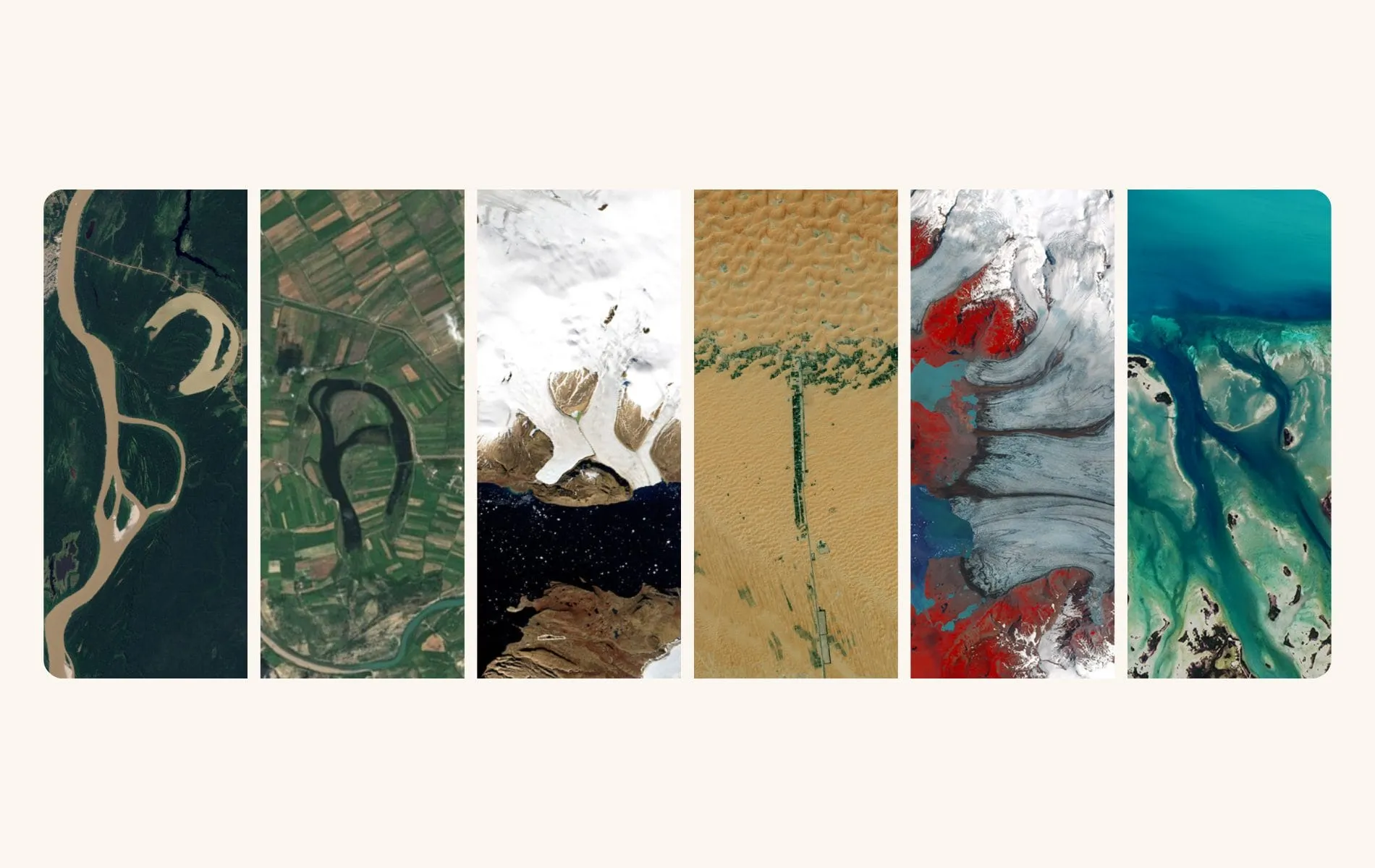
When you lose a pet, you look for ways to hold onto them. Not in a grasping way, but in a quiet one. A way to say: this name meant something. This life was real. Some of the most meaningful memorial rituals are small, unexpected, and completely free. This is one of them.
NASA created a tool called Your Name in Landsat that lets you type any name and see it spelled out using real satellite images of Earth. Every letter is sourced from an actual location on the planet, captured by the Landsat satellite program, a joint effort between NASA and the U.S. Geological Survey that has been photographing Earth for more than 50 years. When you hover over a letter, the tool tells you exactly where on Earth that photo was taken.
You can type your pet’s name. Watch it appear in satellite imagery from real places on the planet. Then download the full image to keep.
We typed in Baxter’s name. Here’s what it looked like:

If you’re looking for a meaningful, quiet way to honor a pet you’ve lost or a senior pet you’re caring for now, this is worth a few minutes of your time. No sign-up. No cost. Just a name, spelled out from space.
Key Takeaways
- NASA’s Your Name in Landsat is a free tool that spells any name using real satellite imagery from the Landsat program, which has operated for more than 50 years.
- Each letter in your pet’s name comes from a specific location on the planet. Hovering over a letter shows exactly where that image was captured.
- You can download all the letters together as a single image to print, frame, or use in a memorial.
- The tool accepts only letters A through Z, so names with hyphens, apostrophes, or numbers work best when typed as letters alone.
- This pairs naturally with other NASA memorial rituals, including finding the Astronomy Picture of the Day from the date your pet passed away.
Table of Contents
- 1How to Spell Your Pet’s Name in Satellite Photos
- 2What Hovering Over Each Letter Tells You
- 3How to Download Your Pet’s Name Image
- 4What to Do With the Image After You Download It
- 5Why This Kind of Memorial Resonates
- 6Another NASA Memorial Worth Pairing With This One
- 7Frequently Asked Questions About Your Name in Landsat
How to Spell Your Pet’s Name in Satellite Photos

The tool is straightforward to use. Here’s how to get started.
Step 1: Visit the NASA Your Name in Landsat page. Go directly to https://science.nasa.gov/specials/your-name-in-landsat/. No account, no sign-up, no download required. It runs entirely in your browser.
Step 2: Type your pet’s name into the text field. The tool accepts letters A through Z. It doesn’t support numbers, apostrophes, or special characters, so if your pet had a name like “D’Arcy” or “Boo-Boo,” type the letters only. Darcy. Boo. The tool validates as you type, so you’ll know right away if a character isn’t supported.
Step 3: Watch the letters appear. As you type, satellite images load in real time. Each letter appears as its own photograph, pulled from the Landsat archive. Depending on the length of the name, you’ll see anywhere from a few images to a longer row of them. Short names look clean and contained. Longer ones fill the screen.
Take a moment here before you do anything else. Look at it. Your pet’s name, made of Earth.
Step 4: Hover over each letter. When you hover, the tool displays the exact location on Earth where that image was taken. You’ll see coordinates and, in some cases, a place name or region. Every letter in your pet’s name came from somewhere specific on this planet. That detail is part of what makes this feel meaningful rather than decorative.
What Hovering Over Each Letter Tells You
This is the part that tends to surprise people. It’s one thing to see your pet’s name rendered in satellite images. It’s another to learn that one letter came from somewhere in the Mojave Desert, or that another was photographed over northern China, or that the last one is a salt flat in South America.
Each letter points to a specific location. The tool displays this on hover, giving you the geographic coordinates and sometimes a region or country name. So the name you’re looking at isn’t just a pattern of shapes. It’s a collection of real places that happened to form the right letters when photographed from orbit.
What you do with that information is yours. Some people take screenshots of each letter individually to keep track of the locations. Some find meaning in the geography. Some don’t analyze it at all. They just sit with the fact that their pet’s name is made of Earth, and that feels like enough.
If you want to explore the locations in more detail, you can search for the coordinates in Google Maps or Google Earth. You can zoom in, look at the terrain, and see exactly what that patch of land looks like from the ground. That’s an optional step, but one some people find adds depth to the experience.
How to Download Your Pet’s Name Image
Once you’ve entered your pet’s name, the tool offers options to download and share the image. You can download all the letters together as a single file, giving you a single clean image with your pet’s name spelled out across it.
The page also includes a QR code you can scan to open the image on your phone, as well as a link you can copy and share directly. If you’re saving it for a memorial, the full download is the most versatile option. It gives you a file you can print, upload, or share anywhere.
When you download, you get all the letters arranged side by side in a single image. The quality works well for most standard print sizes. If you’re planning to print it larger, test it first. Names with many letters create wider images that may need to be cropped to a specific frame size.
Save the file somewhere deliberate. Cloud storage, your photos app, a dedicated folder for things that matter. It’s a small file, but it’s worth keeping somewhere you can actually find it later.
What to Do With the Image After You Download It
The image itself is the starting point. Here are some of the ways people use their pet’s Landsat name image after downloading it.
Print and frame it. A clean print of your pet’s name in satellite imagery looks striking framed. If you have a spot in your home where you keep things that remind you of them, this fits naturally there.
Use it as a phone or desktop wallpaper. Some people find quiet comfort in seeing their pet’s name every time they open their phone. A wallpaper doesn’t require explanation. It’s just there, for you.
Add it to a memorial album or scrapbook. If you’re building a physical or digital collection of things that remind you of them, a Landsat name print adds an unexpected, specific touch. It’s different from photos, paw prints, and collar tags. It says: ” This name existed. It’s written into the planet.
Include it in an online memorial. Love, Baxter lets you create a free online memorial for a pet you’ve lost. Adding the Landsat image gives it a visual anchor that belongs to no one else.
Pair it with the NASA astronomy photo from the day they passed. NASA also maintains an archive of the Astronomy Picture of the Day going back to 1995. You can find the exact astronomical image from the date your pet passed, and the two images together make a natural memorial pairing: one for the day, one for the name. We have a full step-by-step guide on how to find it in the section below.
Share it with people who loved them too. Sending someone the Landsat image of a pet named after them is a quiet way of saying, “I’m still thinking about them.” It doesn’t need more explanation than that.
If you’re looking for more ways to honor a pet you’ve lost, our pet aftercare and memorials section has a full range of resources. And if you’re in the earlier stages of caring for a senior pet and want to start capturing their life before the end, the guide on the three pet photography stages you’ll be glad you didn’t skip is a practical place to start.
Why This Kind of Memorial Resonates
There’s something specific about satellite imagery that makes it behave differently from most memorial keepsakes. A photo is a memory. A paw print is a physical trace. A planted tree is a living marker. A Landsat name image is something else: it’s your pet’s name, written in the surface of the Earth itself.
Grief is, in part, a fear of forgetting. A fear that the name, the face, the particular weight and warmth of them will fade. Memorials work against that fear. They say: this was real. I can point to something and say it was real.
The Landsat tool does that with unusual specificity. Not just a beautiful image, but a real one. Each letter came from a real location. The planet was photographed, and the photograph looked like the letter in your pet’s name. That’s not a metaphor. That’s just true.
For people who find meaning in the idea that a pet’s presence continues after they’re gone, this image can feel like a quiet confirmation. Their name is woven into the world’s geography in a way that existed before you typed it and will keep existing. You just found it.
For people who don’t think in those terms, it works differently. As a beautiful, strange, and specific thing to hold onto. A download on your phone. A print on your wall. Proof that the name was worth spelling out.
Either way, it’s worth having. If you’re exploring broader questions about loss, connection, and what remains, our pet loss spirituality and beliefs section has more for you.
Another NASA Memorial Worth Pairing With This One
If this resonated with you, there’s a companion ritual we wrote about that many people find equally meaningful. NASA’s Astronomy Picture of the Day archive contains astronomical images going back to 1995, and you can find the image from the exact date your pet passed away.
We put together a full guide on how to find the NASA astronomy photo from the day your pet passed. It’s free, it’s simple, and it gives you a different kind of anchor. Not a name, but a moment in time. The universe as it was photographed on the day you said goodbye.
Some people print both. The date image and the name image, side by side. There’s no right way to use them, but together they make a memorial that belongs to no one else’s story but yours.
If you’re also exploring other ways to mark a pet’s life, planting a tree in their memory is one of the most lasting. And for the days when you just need somewhere to start, our guide on what to do in the first week after losing a pet walks through everything at a pace that doesn’t overwhelm.
Frequently Asked Questions About Your Name in Landsat
Is NASA’s Your Name in Landsat completely free to use?
Yes, entirely free. You don’t need to create an account, provide an email address, or download any software. The tool runs directly in your browser at science.nasa.gov/specials/your-name-in-landsat, and NASA built it as an educational, interactive feature at no cost. You can return to it as many times as you want, type multiple names, and download the results without any limitations. If you want to try a few versions of a name (a full name, a nickname, a shortened version), you can do that freely. The only requirements are an internet connection and a browser that supports modern web features, which any current browser does. There are no premium tiers, no watermarks on the download, and no strings attached. It’s a NASA public resource, available to anyone.
What if my pet’s name has special characters, numbers, or a hyphen?
The Landsat tool supports letters A through Z only, and it validates input as you type, so any unsupported character will be flagged right away. If your pet’s name has an apostrophe (like O’Malley), a hyphen (like Bear-Bear), or a number (like R2-D2), simply type the letters alone. Omalley. Bearbear. RD. The spirit of the name remains, and the tool will still produce a meaningful image. If your pet has two names or a long formal name, you may want to use just the first name or a nickname to keep the image clean and easier to print. Names with more than six or seven letters tend to create wider images that work better as phone wallpapers than framed prints, so it’s worth trying a few variations to see what you prefer before downloading.
How do I save the image of my pet’s name from the Landsat tool?
Once your pet’s name is displayed on the screen, look for the share and download options on the page. The tool lets you download a single file containing all the letters together, giving you a clean, combined image rather than individual letter photos. You can also scan a QR code to open the image on your phone, or copy a direct link to save or share it. The downloaded file contains all the letters arranged side by side, and the quality holds well for most standard home print sizes. If you’re planning to print larger than a standard 8×10, test the file at full resolution first to make sure it won’t lose clarity at the size you want. Once you have the file, save it somewhere intentional. Cloud storage or a dedicated photo album works better than leaving it buried in your downloads folder.
What is the Landsat program and who operates it?
Landsat is a long-running Earth observation satellite program operated jointly by NASA and the U.S. Geological Survey. The first Landsat satellite was launched in 1972, making it one of the longest-running Earth observation programs in history. The satellites orbit the planet and photograph its surface at regular intervals, building a detailed visual record of how the Earth changes over time. Scientists use Landsat imagery to study climate change, deforestation, urban growth, glacier retreat, and many other environmental changes. The images in the Your Name in Landsat tool come from this archive: real photographs taken from orbit during more than 50 years of operation. Every letter in your pet’s name is made from that record, from imagery that was captured for scientific purposes and happens to look like the alphabet when you know where to find it.
Are there other NASA tools I can use to honor a pet?
There is one other NASA memorial that many people find deeply meaningful, and it pairs naturally with the Landsat name image. NASA maintains an archive of the Astronomy Picture of the Day going back to 1995, and you can look up the exact astronomical image from any specific date, including the day your pet passed away. We wrote a full, step-by-step guide to finding and using that image, covering the process from start to finish. Some people print both the APOD image and the Landsat name image as a two-part memorial: one for the moment, one for the name. Beyond NASA, there are physical memorial options worth exploring, such as planting a tree in your pet’s name, creating a personalized keepsake, or building a free online memorial at lovebaxter.com. All of these are low-cost or free ways to mark a life that mattered, and none of them requires a particular belief system or a specific kind of grief to feel right.